 Udfyld
Is there a free PDF editor for iPhone?
Yes, for most jobs, and it's already on your iPhone. Markup in the Files app fills in and signs PDFs and adds text. Apple's Preview app (iOS 26 and later) also moves, rotates and deletes pages. Apps like Adobe Acrobat Reader and PDF Expert are free to download, but the bigger tools, such as changing existing text, need a subscription. Udfyld, the app I made, costs $1.99, once.
What you get, and what it costs
Markup + Preview
Apple
- Fill in and signYes
- Move, rotate, delete pagesYes
- Combine and compressYes
- Change existing textNo
Free, built in
Acrobat Reader
Adobe
- Fill in and signYes
- Move, rotate, delete pagesPremium
- Combine and compressPremium
- Change existing textPremium
Free download, Premium is a subscription
PDF Expert
Readdle
- Fill in and signYes
- Move, rotate, delete pagesPremium
- Combine and compressPremium
- Change existing textPremium
Free download, Premium is a subscription
Udfyld
Peter Theill
- Fill in and signYes
- Move, rotate, delete pagesYes
- Combine and compressYes
- Change existing textNo
$1.99 once
Free, and already on your iPhone
- Markup (in Files, Mail and Notes): fill in form fields, add text boxes and your signature, draw on the page. How to sign a PDF on iPhone
- Preview (iOS 26 and later): all of that, plus highlighting text, moving, rotating, deleting and inserting pages, locking a PDF with a password and exporting it with smaller images. How to edit a PDF on iPhone
- Files: select several PDFs or photos and tap Create PDF to get one file. How to combine PDF files on iPhone
No account, no ads, and nothing gets uploaded. The one thing none of them can do is change the words already in a PDF.
Free to download, paid to edit
The big PDF apps on the App Store are free to download and sell a subscription inside the app. This is what their App Store pages said in November 2026:
- Adobe Acrobat Reader: viewing, filling in, signing and comments are free, and you don't need an Adobe account. Editing text and images, organizing pages, combining files and compressing are part of Acrobat Premium, which is a subscription.
- PDF Expert from Readdle: editing text, organizing pages, merging and compressing are listed as Premium features, also sold as a subscription.
If you change the text of PDFs every week, that can be worth it. For a form now and then, you'd be paying for tools you hardly use.
What about online PDF editors?
Search for a free PDF editor and you'll also find websites that edit PDFs in the browser. To work on your file, most of them upload it to their servers, and some limit how much you can do before they ask you to pay. That's fine for a flyer. With a lease, a payslip or a medical form, think twice.
Udfyld: $1.99, once
I made Udfyld because the free tools stop short at the awkward PDFs: a flat form with nothing to tap, a scan that's too big to email, pages in the wrong order. Udfyld puts your text on the printed line, signs, moves, rotates and deletes pages, merges files, turns photos into a PDF and makes scans smaller, all on the phone and from iOS 17. Udfyld costs $1.99, once. No subscription, no account, no ads.
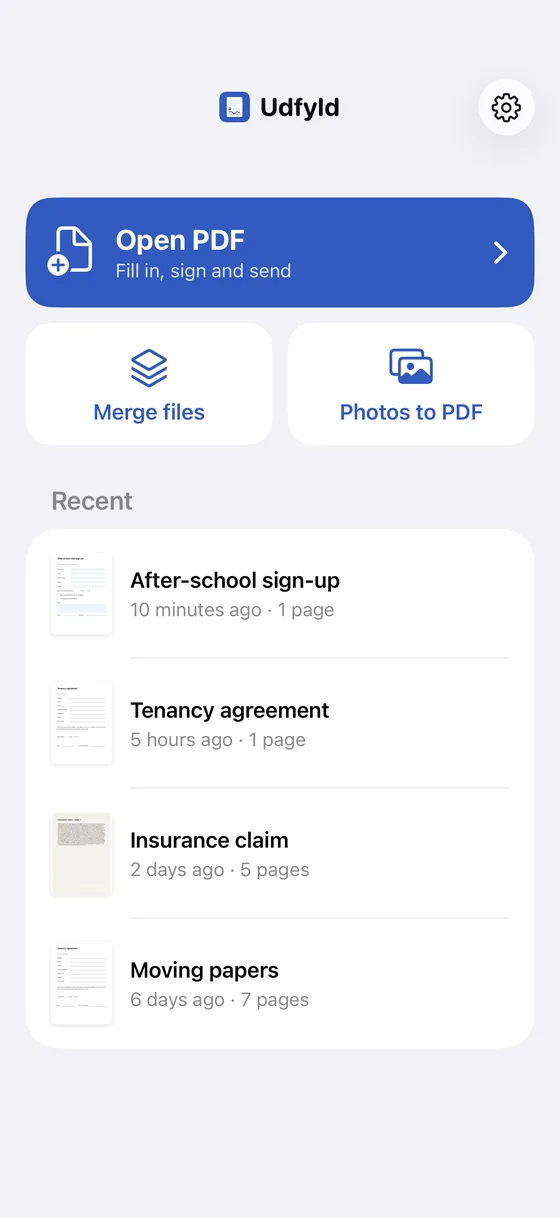 1Merge files, photos to PDF
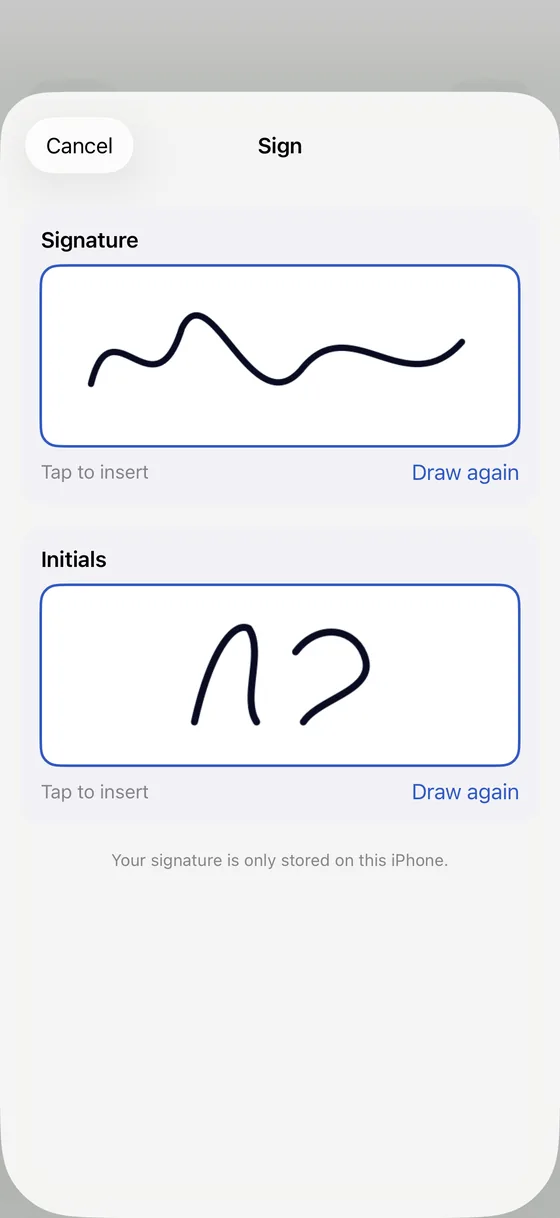 2Your signature stays on the iPhone
- Merge files, photos to PDF
- Your signature stays on the iPhone
What it doesn't do is change existing text. For that, see How to edit a PDF on iPhone.